Park Ops Manager
A modern, mobile-responsive park operations platform with mapping, A.R.T. field reporting, incidents, work orders, asset tracking, comparison reporting, PDF reports and data-quality tools.
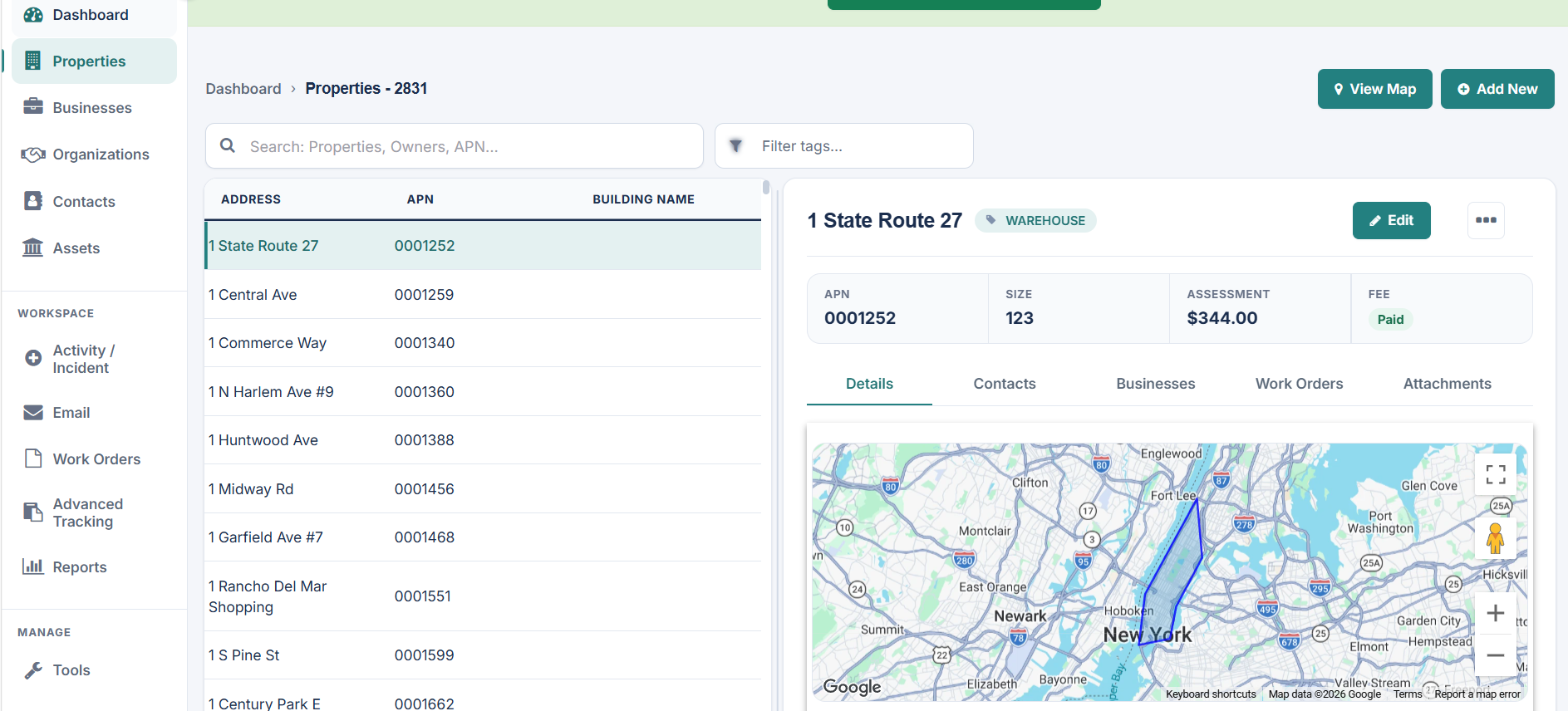
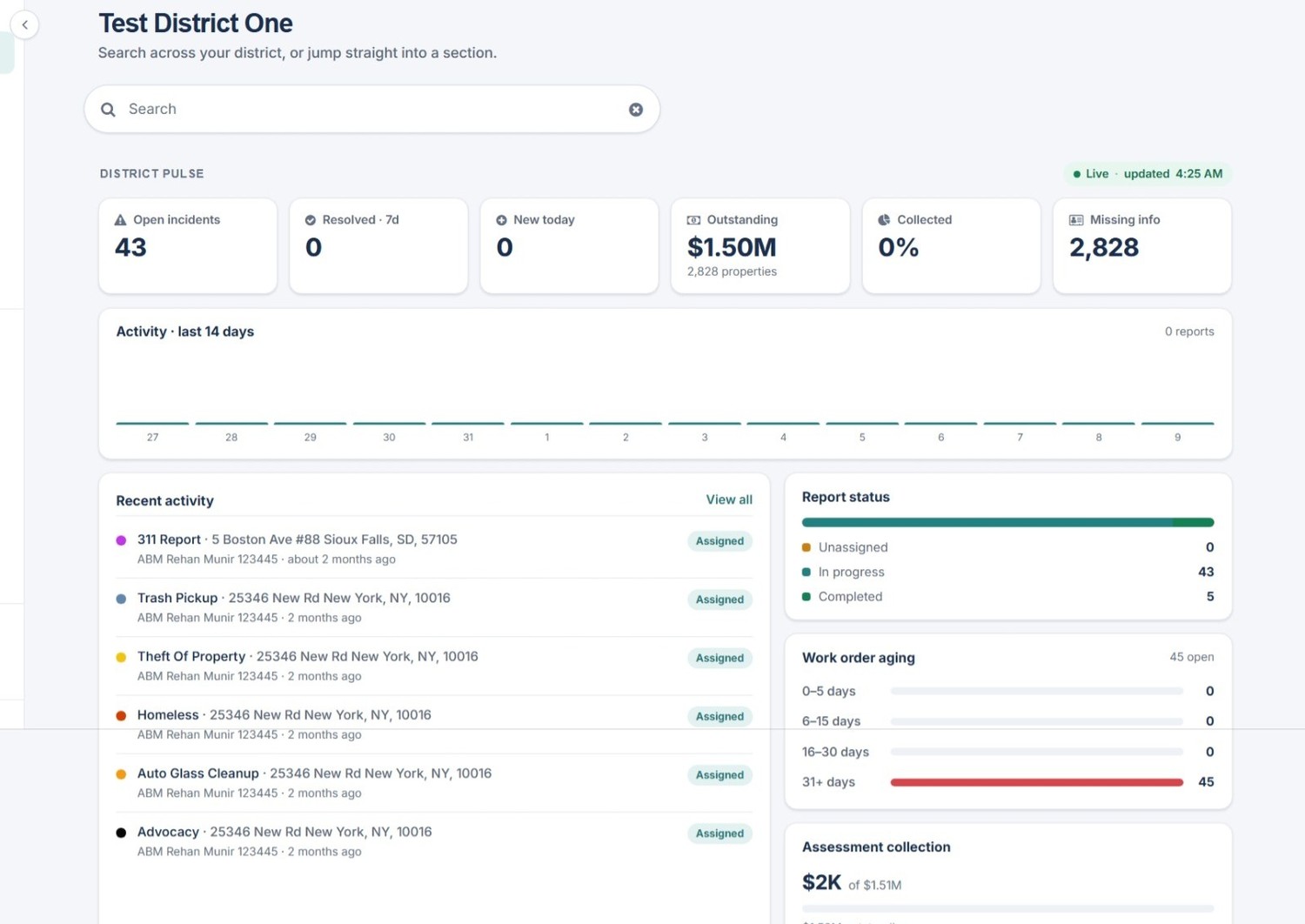
A dashboard built around the work happening across parks, facilities, assets and field teams.
See open incidents, recent activity, work-order aging, asset and maintenance information, missing data and key park operations metrics from one central view.
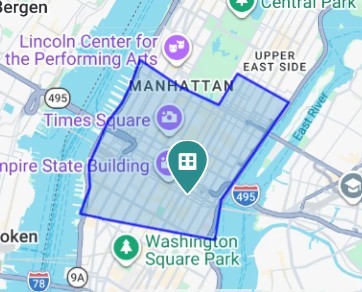
See your parks, structures, facilities, assets and incidents geographically.
Use boundary overlays to show the geographic footprint of each park or service area. Map parks, structures, facilities and assets, then select a location to open its connected record.
- Visual park boundaries
- Park and structure/facility map locations
- Direct access from a map location to its record
- A clearer geographic picture of park operations data
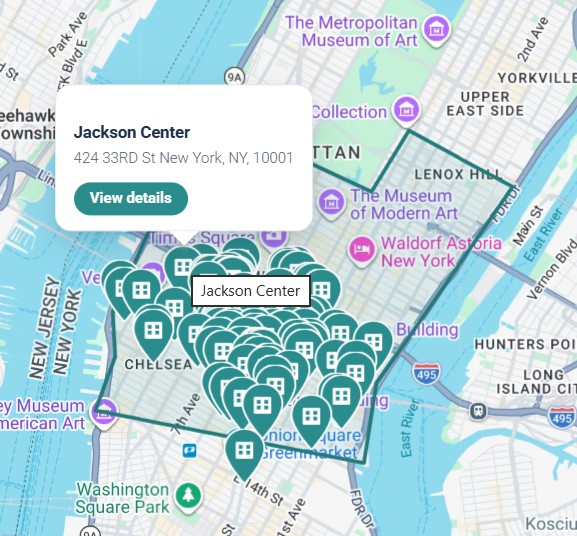
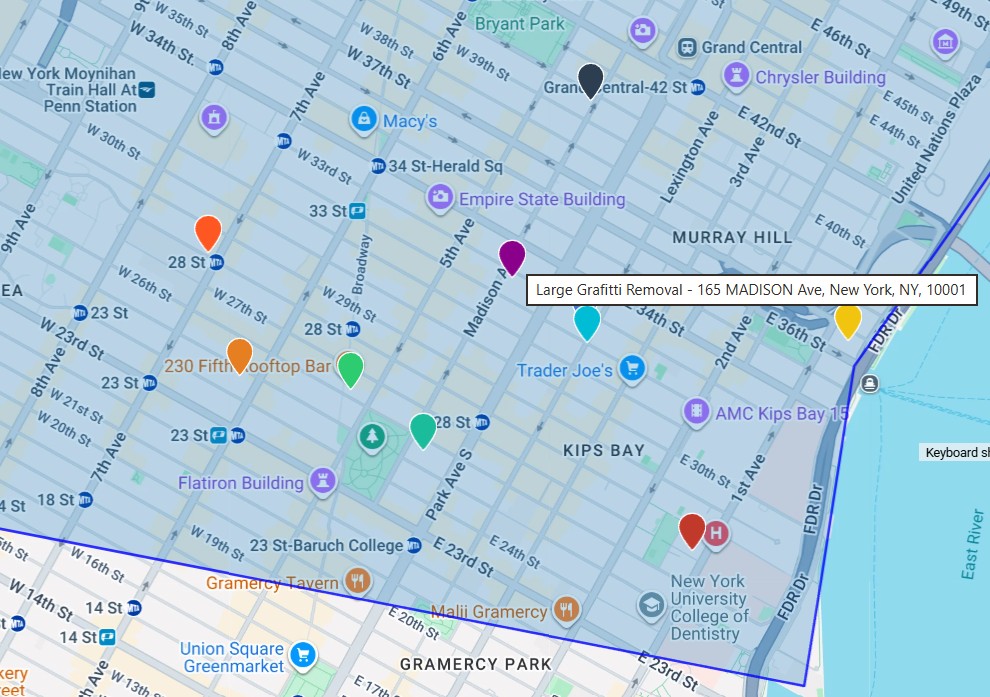
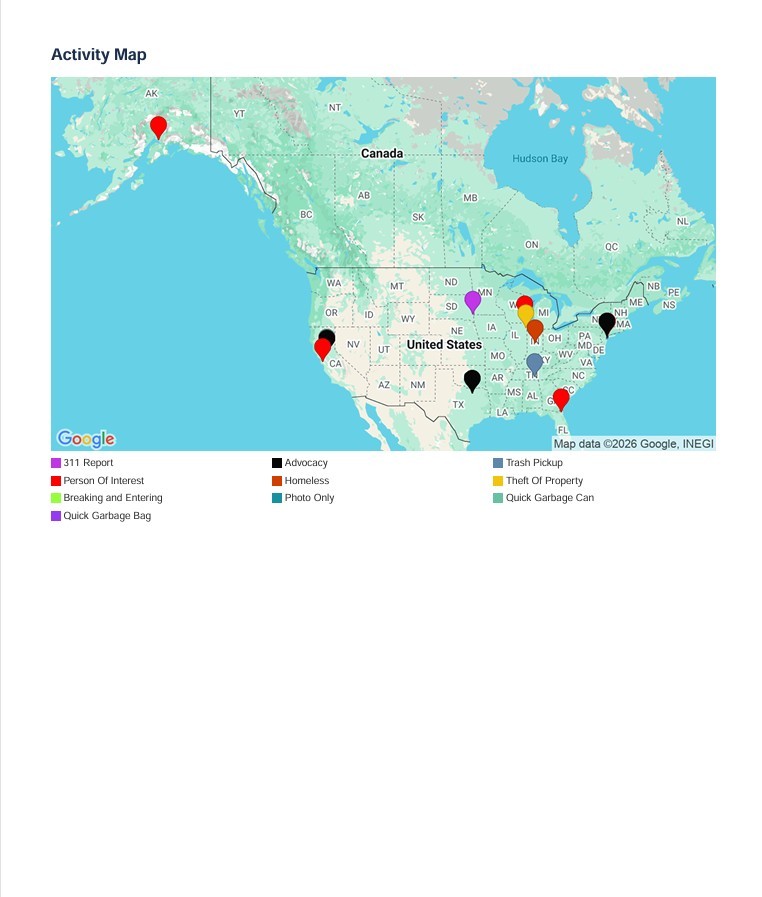
See exactly where activity is happening.
Map incident and activity reports with color-coded pins so your team can see where different types of work, service requests, outreach, cleanups, and incidents are occurring throughout the park system.
Geographic reporting adds context that a list alone cannot provide - making concentrations, repeat locations, and park-wide patterns easier to recognize.
Make maps and reports easier to read at a glance.
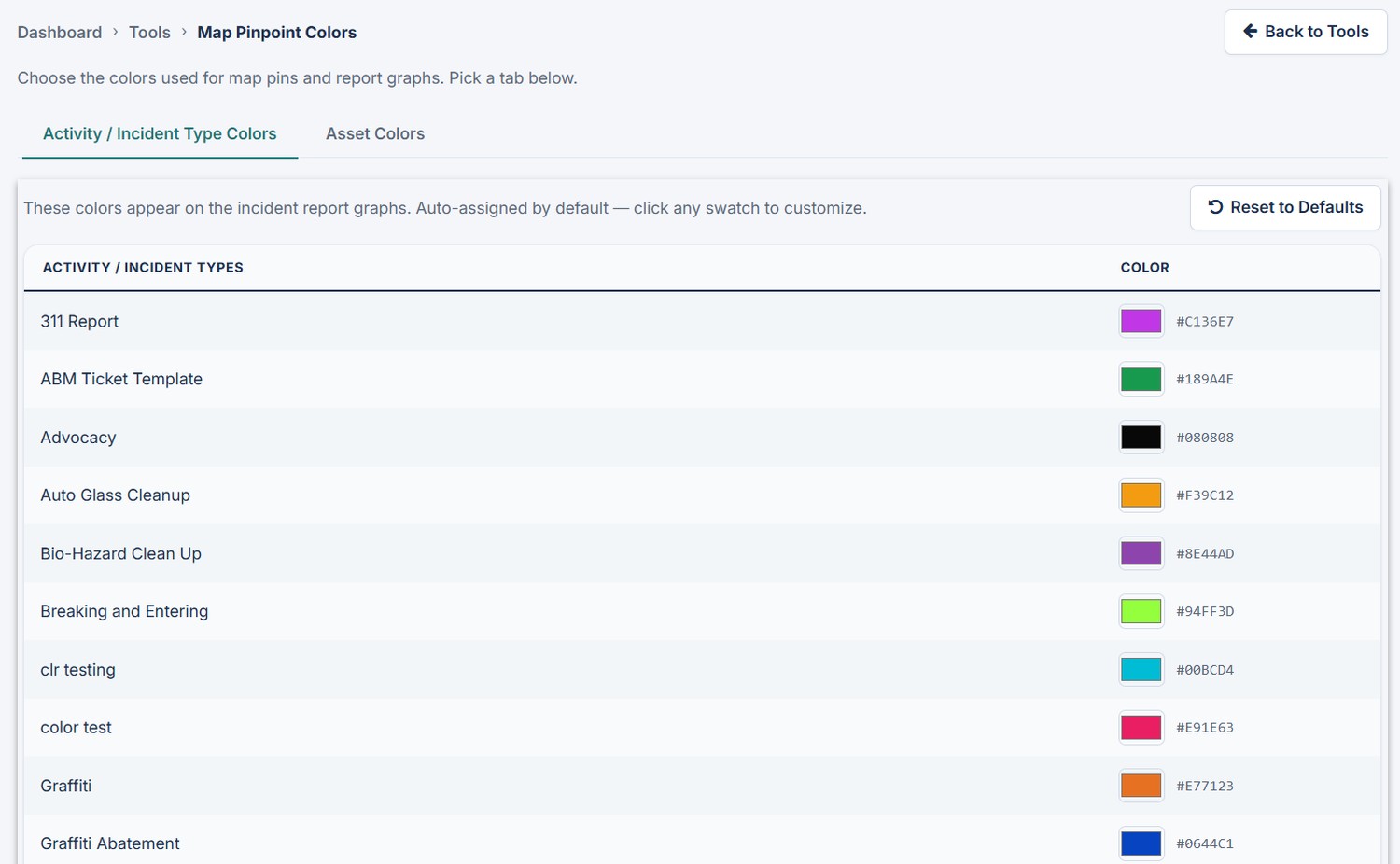
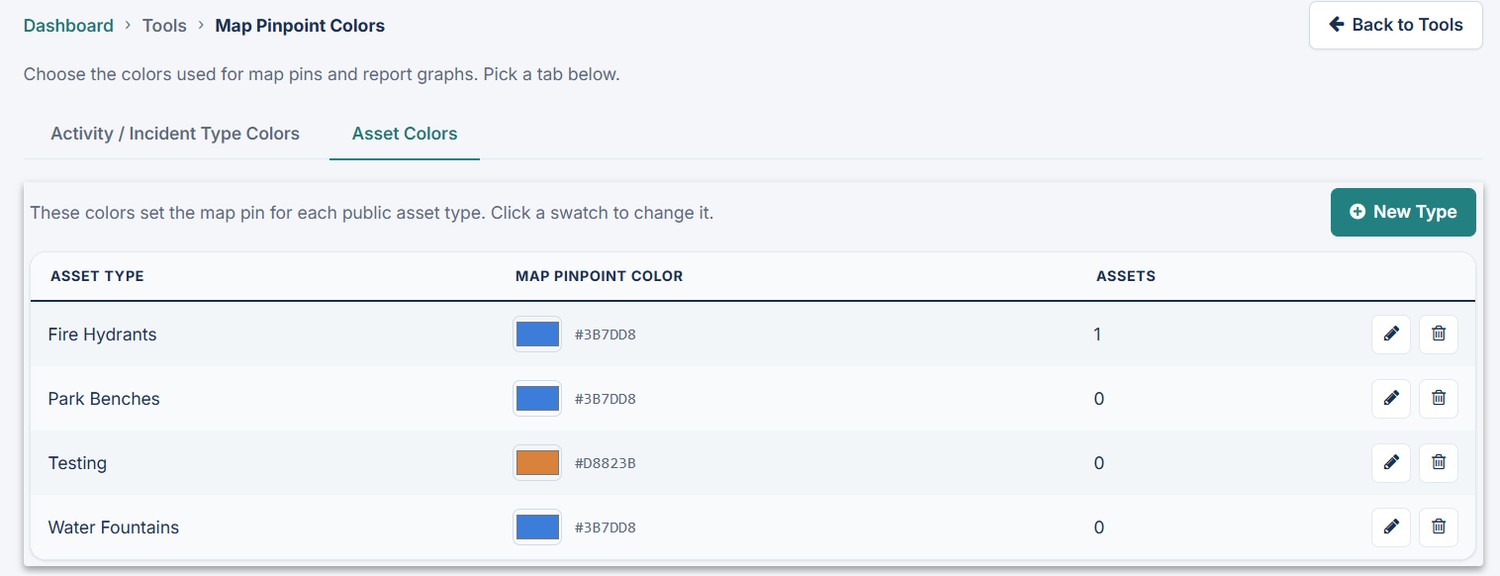
Customize colors for activity and incident types as well as park asset types. The same visual language can carry through maps and graphical reporting.
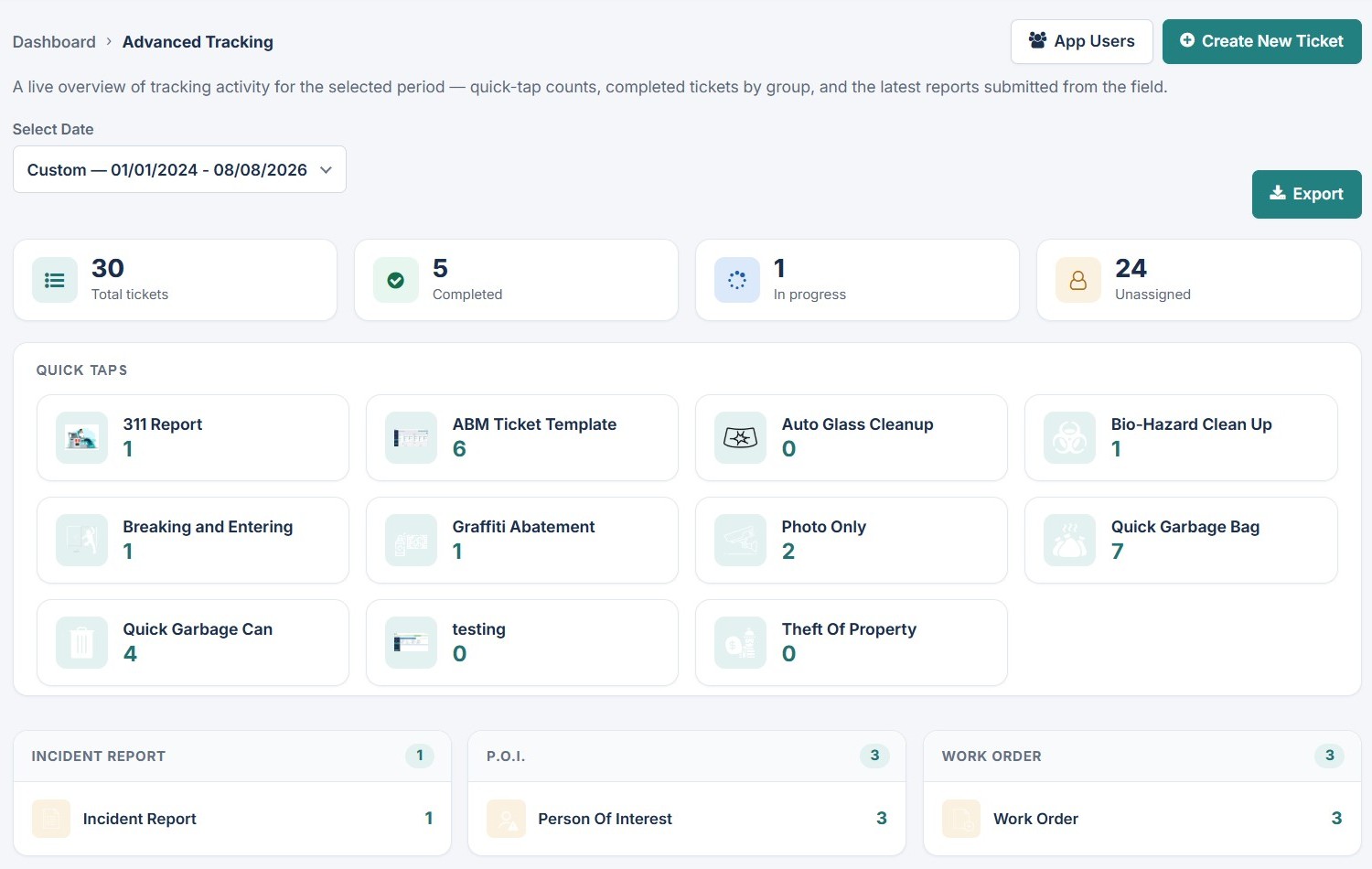
One operational view of field and park activity.
The Advanced Tracking and Report (A.R.T. app) brings together total tickets, completed work, in-progress items, unassigned activity, quick-tap counts, incident reports, persons of interest, work orders, and recent activity.
Teams can move from the high-level picture to the individual reports behind the numbers without losing context.
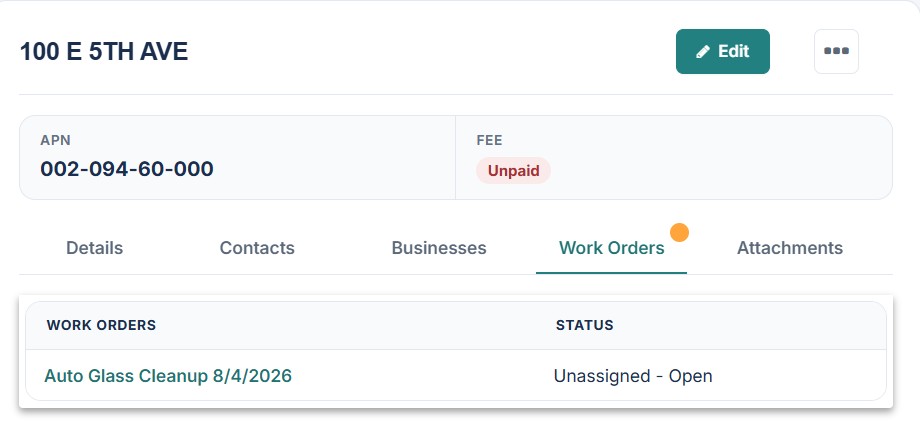
Turn reported issues into trackable work.
Create, assign, monitor and report on work orders while keeping each task connected to the park, structure, facility or asset where the work belongs.
- Work-order assignment and status tracking
- Park-linked work orders
- Structure/facility work-order assignment
- Clear visibility into open, assigned, and completed work
Compare inspection, maintenance, incident and work-order activity across time periods.
View park activity as pie or bar charts, choose reporting periods, and compare a current period against a previous period or prior year.
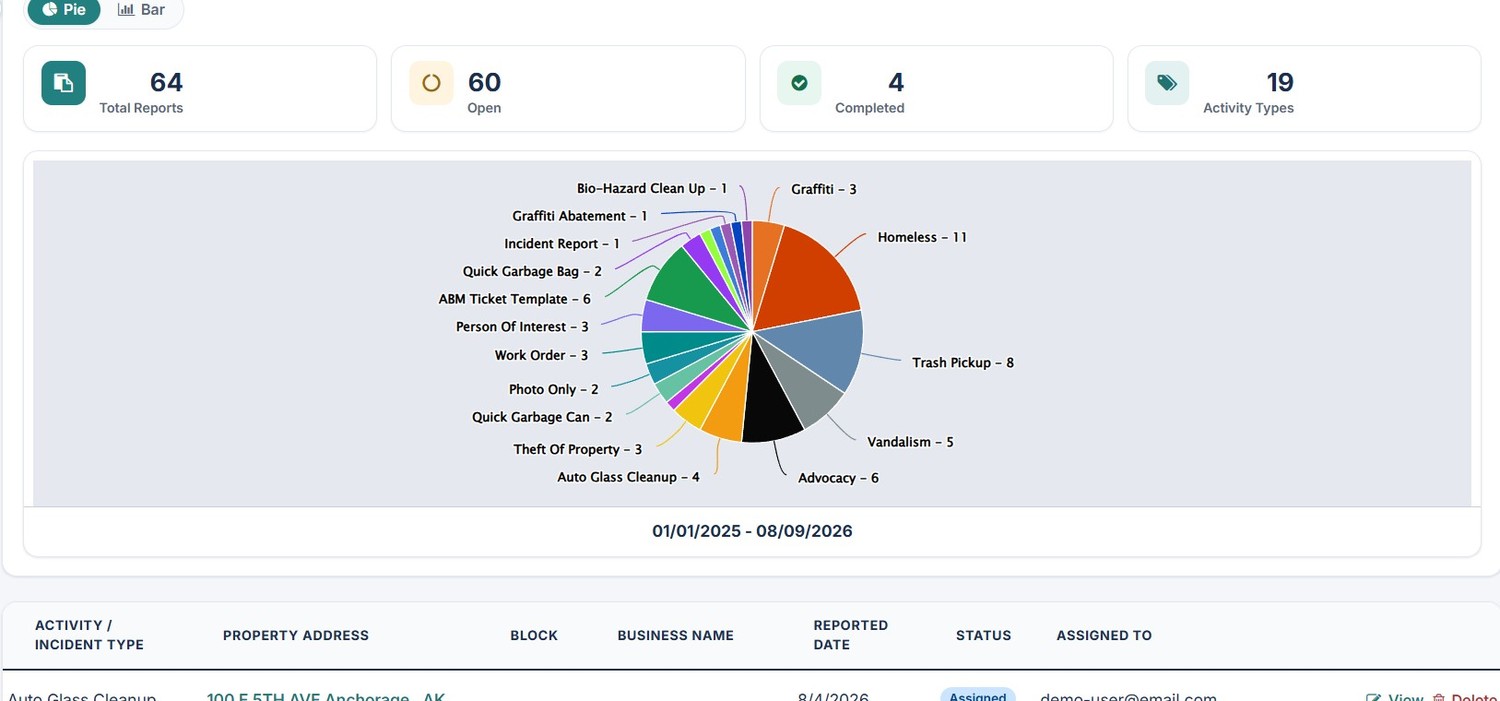
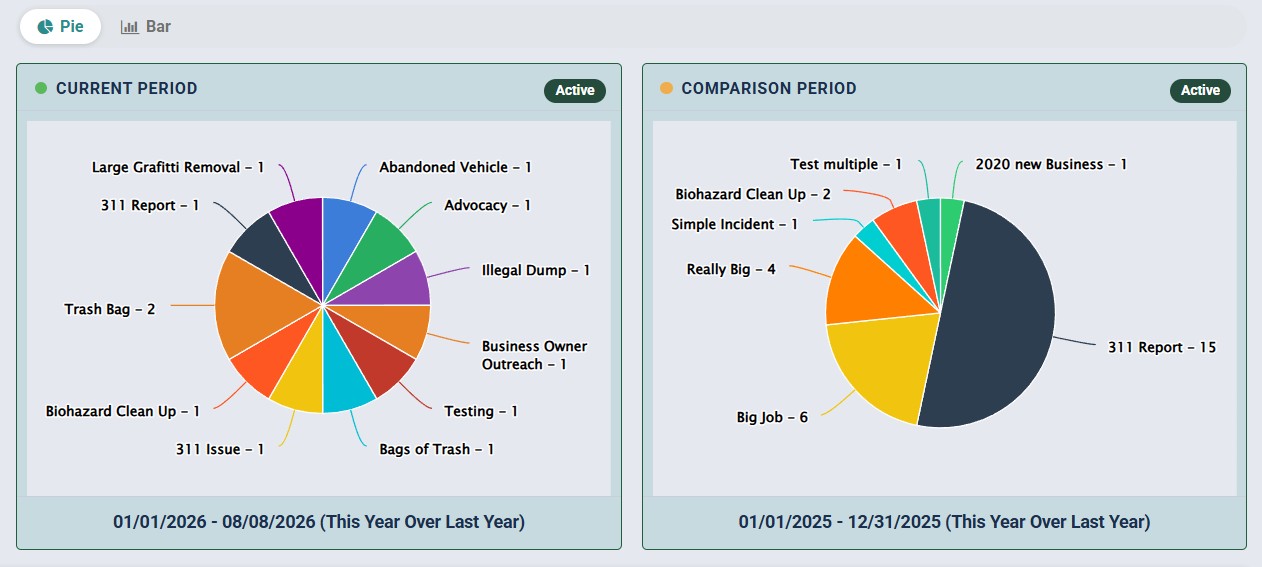
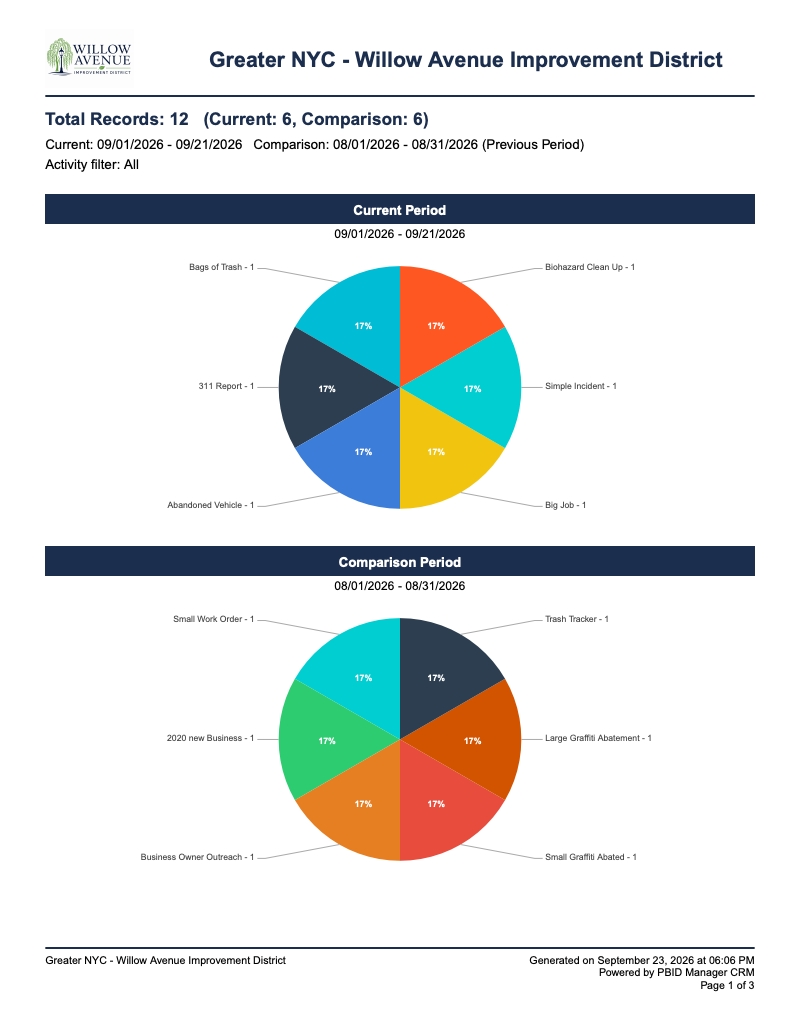
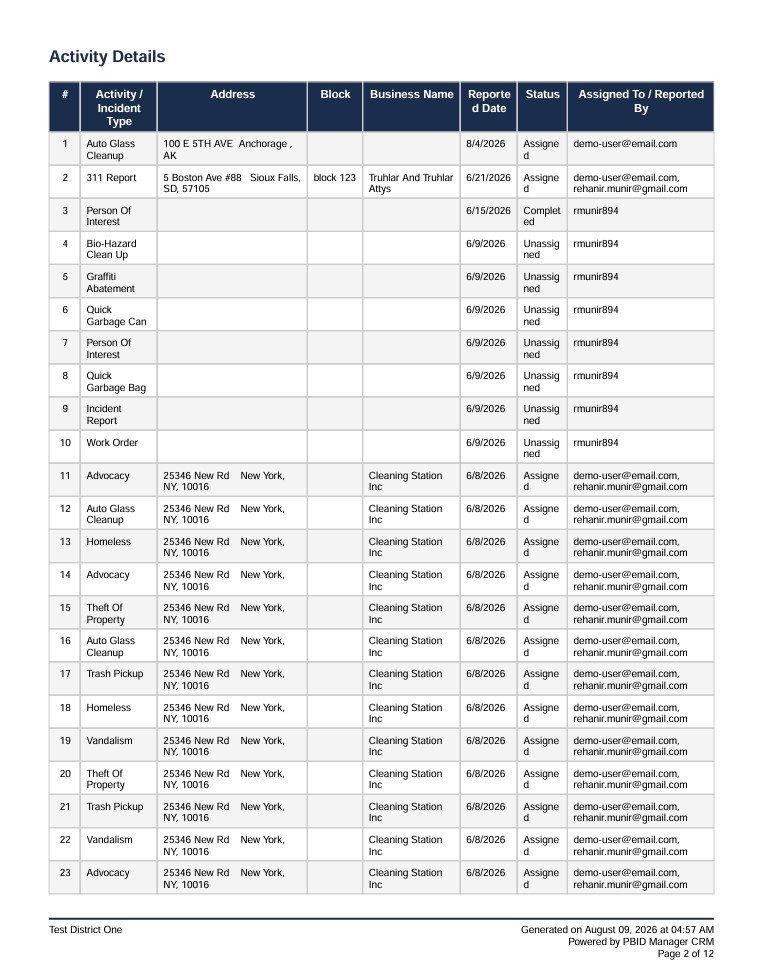
Turn park operations data into presentation-ready reports for leadership, boards, municipalities and internal teams.
Generate PDF reports that combine charts, maps, activity details, locations, status and assignment information for leadership, boards, municipalities and internal operations reporting.
Find missing information before you need it.
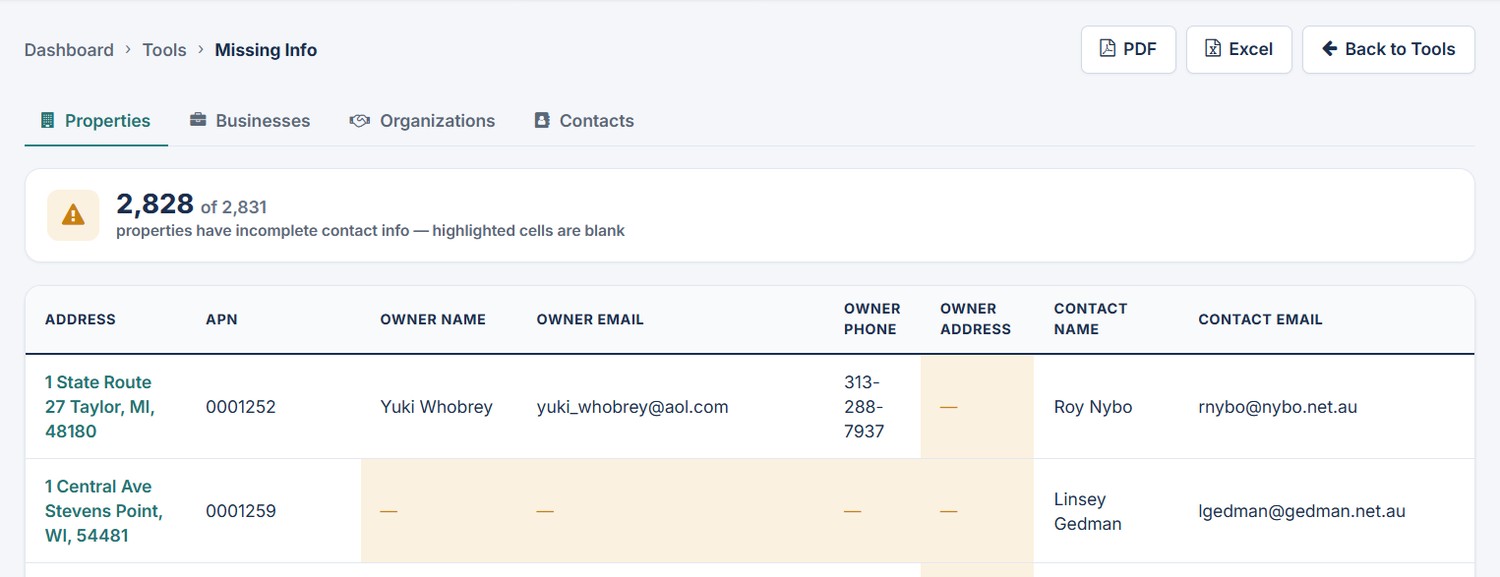
The Missing Info tool identifies incomplete records across Parks, Structures, Organizations, and Contacts, then highlights missing fields so your team can see exactly where attention is needed.
Use it to identify incomplete park, facility, organization and contact records before missing information disrupts operational follow-up.
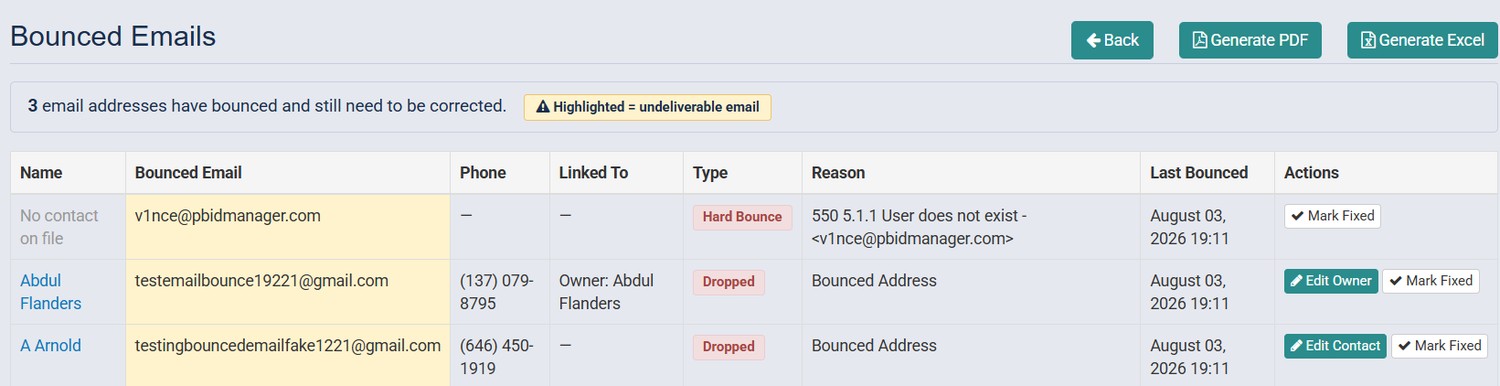
Identify bounced email addresses and clean them up.
See which addresses bounced, why delivery failed, the associated park, facility or contact when available, and when the bounce occurred. Edit the linked record and mark the issue fixed once it has been corrected.
The result is cleaner contact data and a clearer process for maintaining usable communication records.
Park communications stay connected to your operations records.
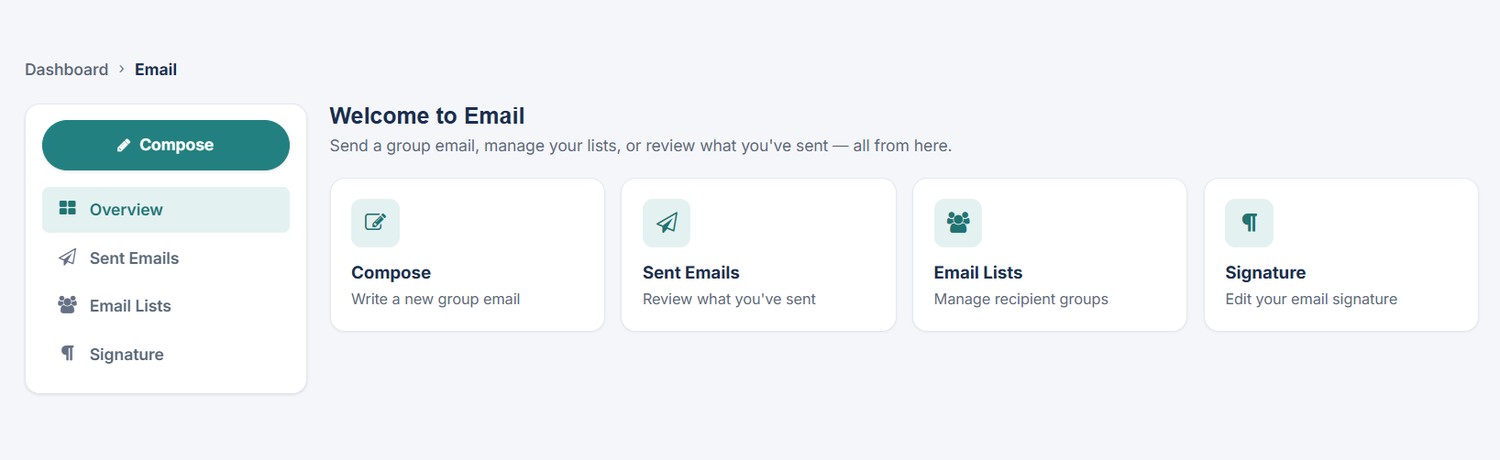
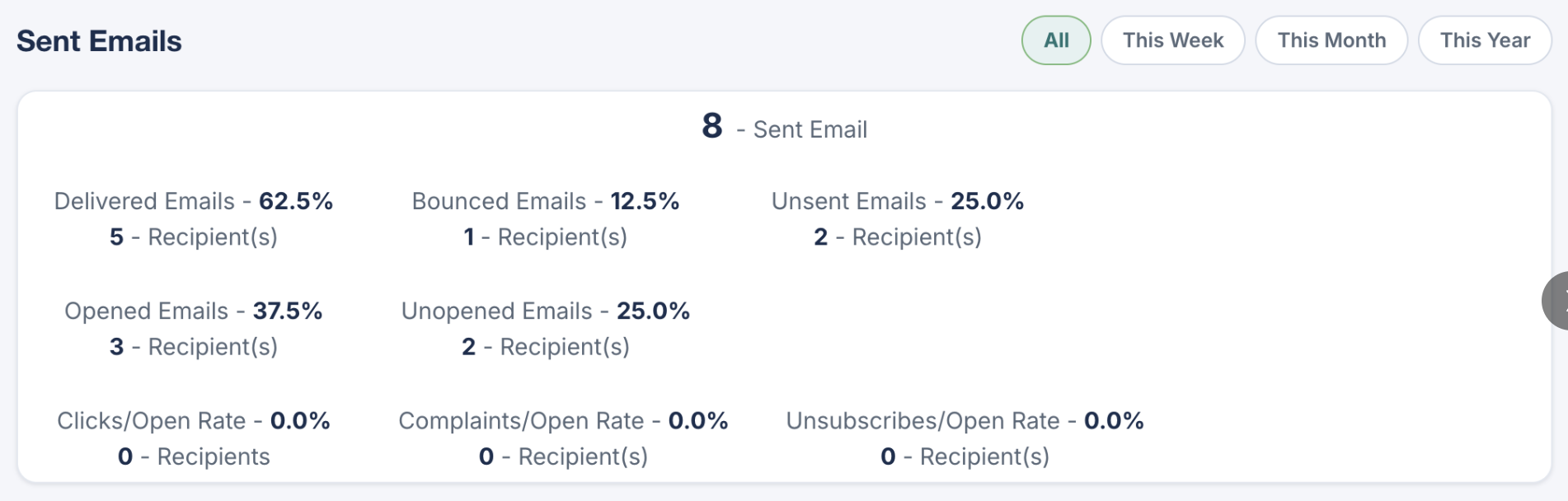
The redesigned Email area gives your team one place to compose group emails, manage recipient lists, review sent emails, and manage email signatures - using the park stakeholder information already inside Park Ops Manager. Additionally, view email campaign statistics right inside Park Ops Manager.
One modern platform. A clearer picture of your park operations.
Understand your parks, manage connected records, coordinate work, track field activity and communicate results from one location-aware operations platform.